Welcome to WordPress. This is your first post. Edit or delete it, then start writing!
Frequently Asked Questions (1 total)
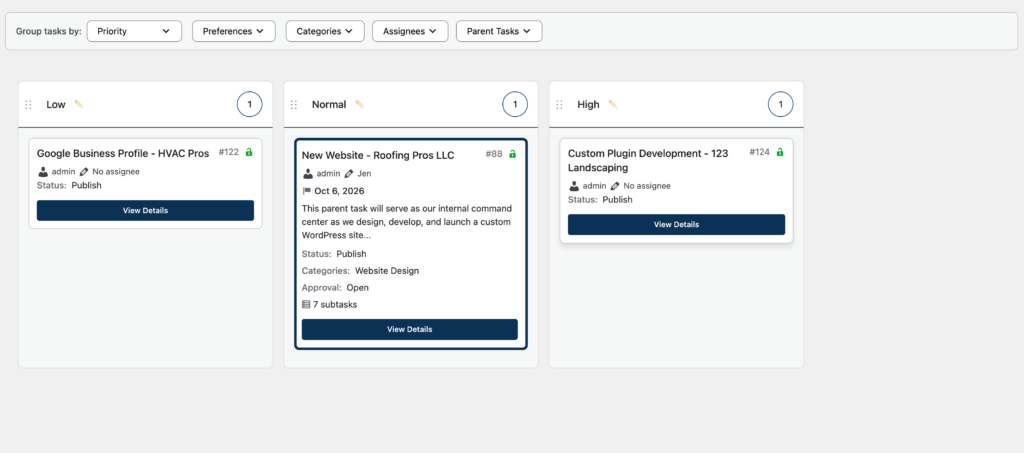
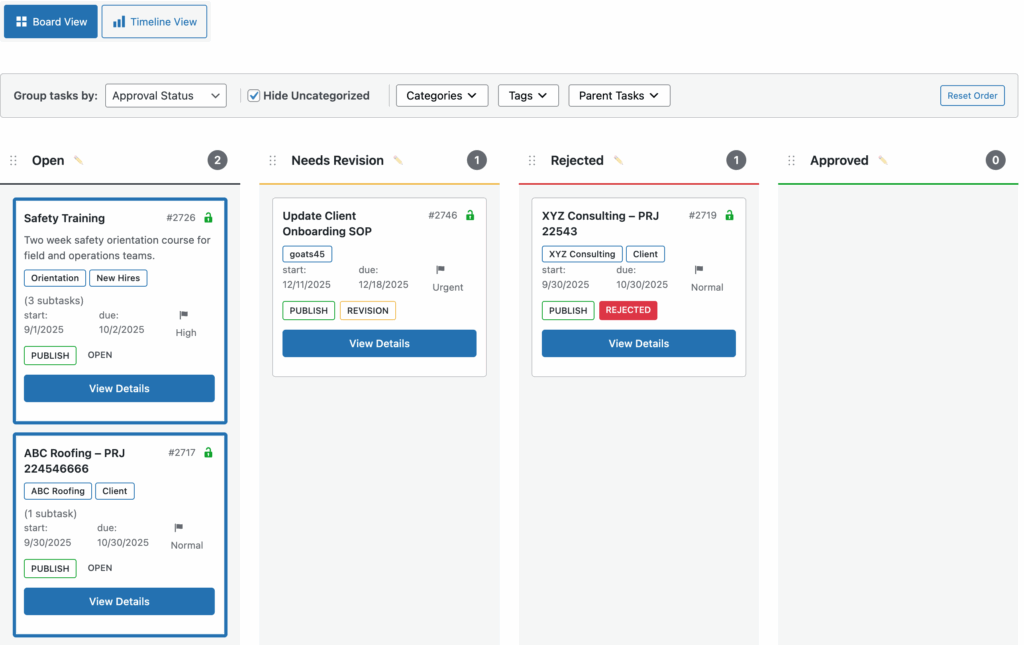
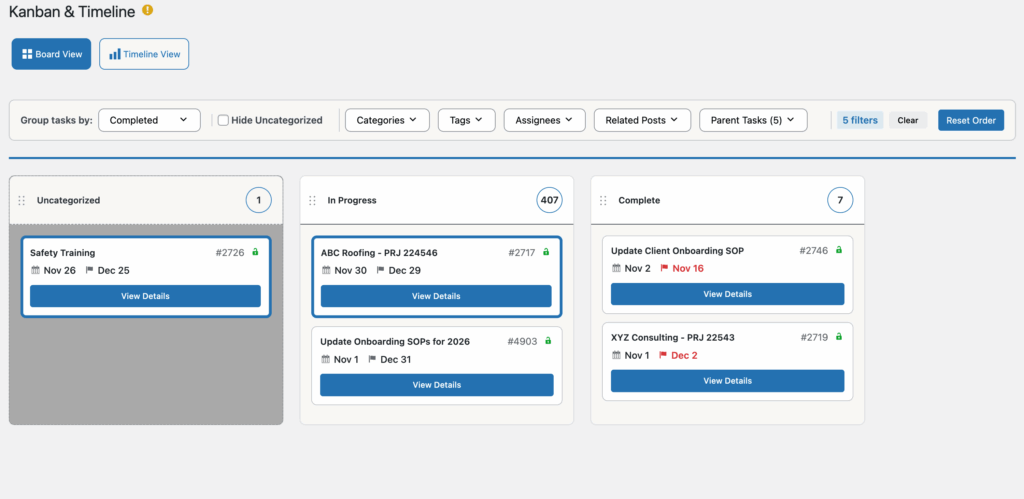
When you grant a user approval permissions on a single task, you do not have permission to enter the post's edit screen. But the user can still edit the approval custom field from the Kanban board. All they have to do is navigate to the WP Admin -> Orbital -> Kanban board and select the Approval lane from the "Group tasks by" drop down. The user can then drag the task(s) they have permission to edit approvals for to the appropriate lane. This will update the approval meta data for that specific task.
Source:
Kanban Board

1 comment
A WordPress Commenter
Hi, this is a comment.
To get started with moderating, editing, and deleting comments, please visit the Comments screen in the dashboard.
Commenter avatars come from Gravatar.
Comments are closed.