
OrbitalWP Permission System
OrbitalWP integrates with WordPress roles to control exactly who can see and edit tasks. Set permissions once per role, or grant individual users access to specific tasks even if their role doesn't normally allow it. Approval status and assignee fields stay protected until you explicitly unlock them.
Buy A LicenseAssign tasks in seconds, control access by role, and override permissions when you need to
Assignee permissions are at the core of OrbitalWP
Project managers delegate tasks to assignees inside OrbitalWP. When you are assigned a task, you can read it and mark it completed. The assignee permission is simple, effective, and fast to setup. Search for your user, select them, and you're done!
Buy Orbital Today!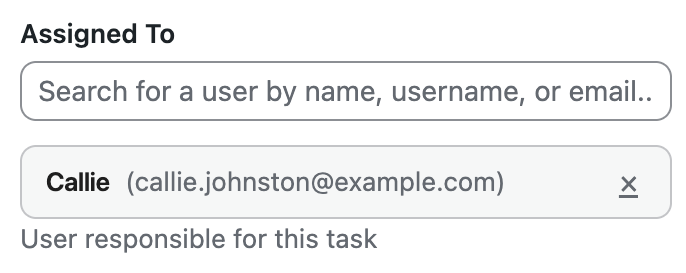
Harness the powerof WordPress User Roles
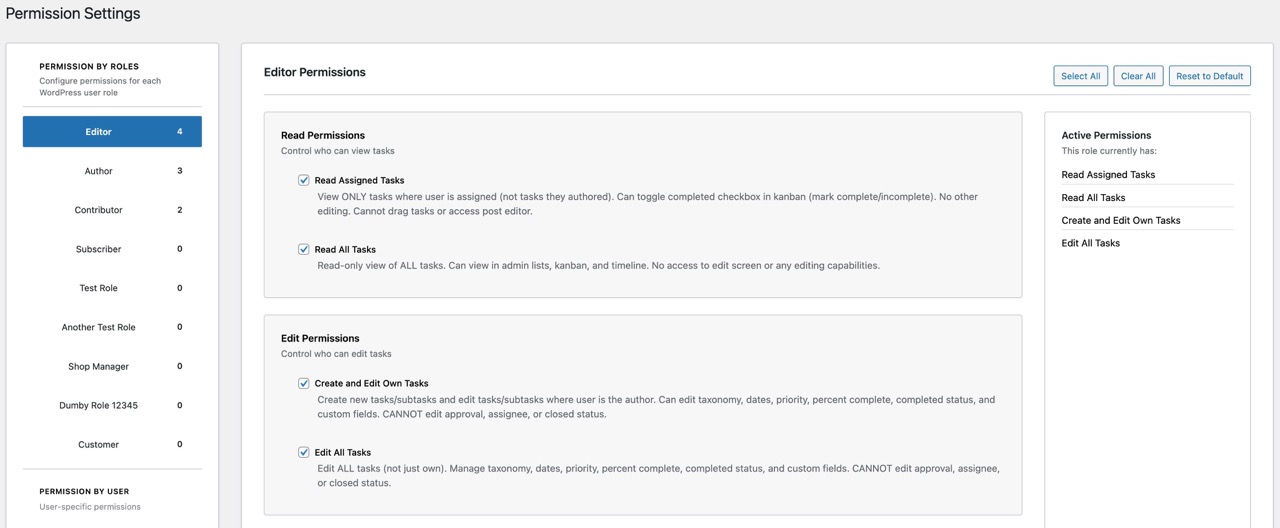
Want to grant capabilities by user role? OrbitalWP works with WordPress roles you already have. Assign permissions to Editors, Authors, Contributors, or custom roles. Every user in that role gets the same access automatically.
Buy Orbital Today!Task Override System
Grant specific users access to individual tasks without changing their role. Bring a contractor into one project while keeping other tasks private.
Get Your license Now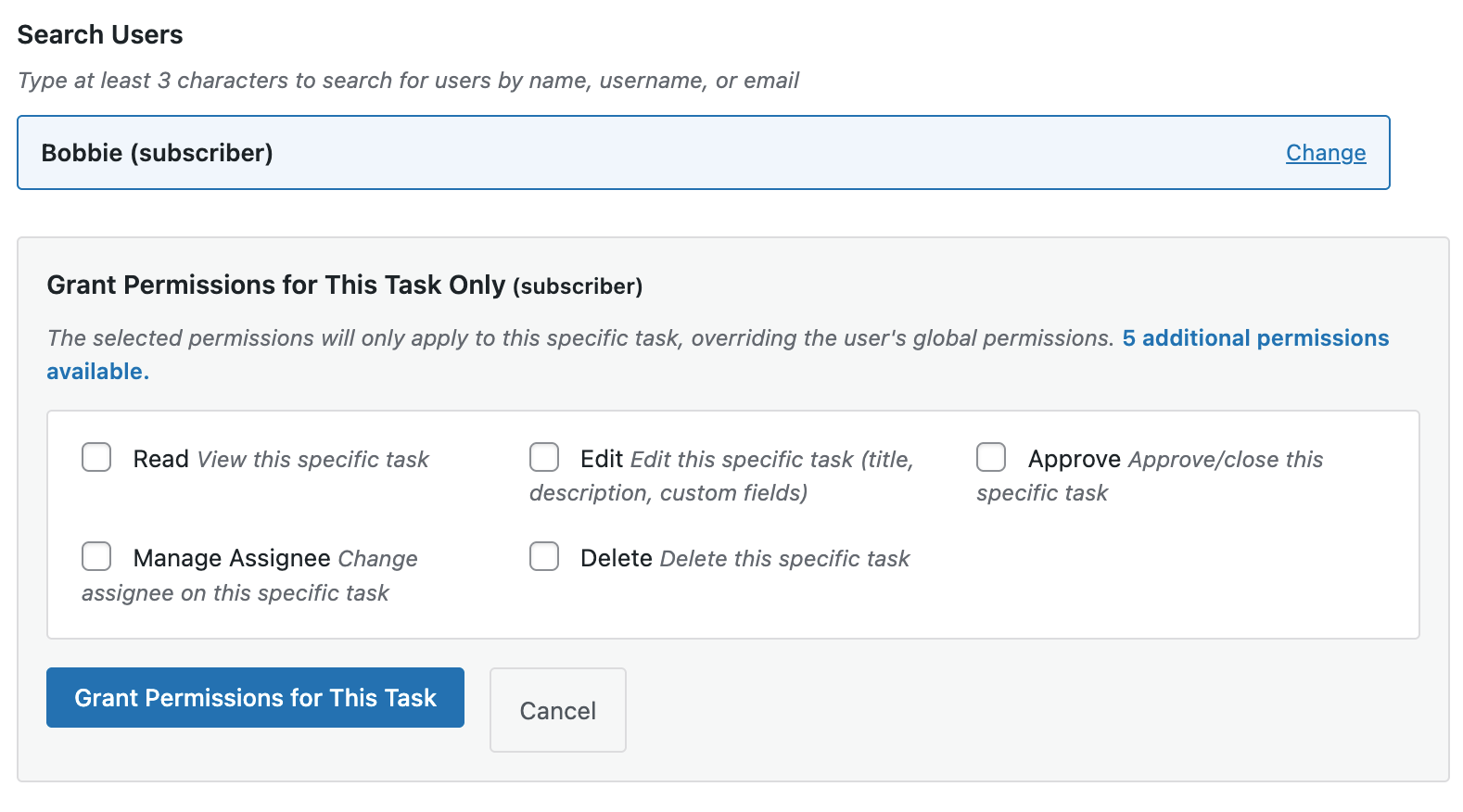
We've got custom field permissions, too
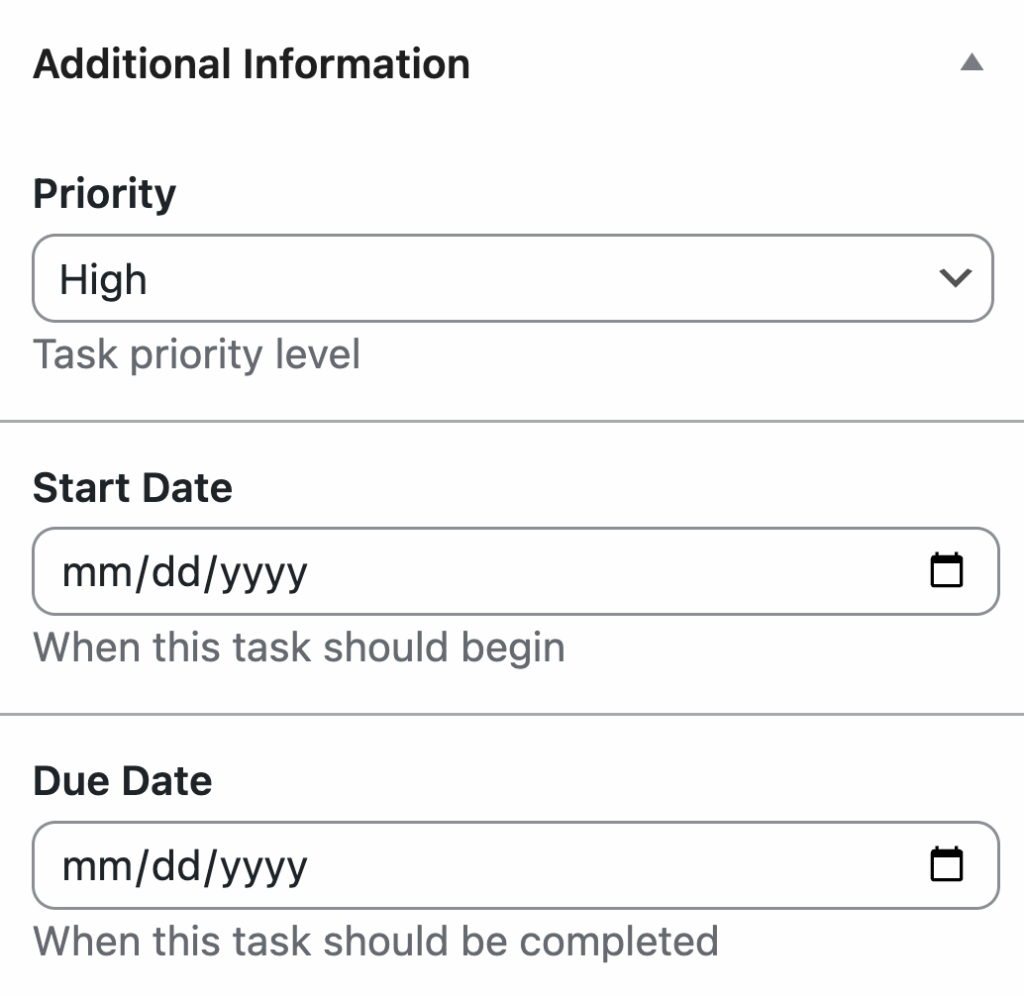
Custom fields respect permission boundaries. Users only see and edit fields they have access to. For example, the approval status field is invisible to users without the Approve Tasks permission. It won't appear in the task editor or as a lane option in the Kanban board. No confusion, no unauthorized changes.
Buy A LicensePermission Levels
- Read Assigned Tasks - Users can view tasks assigned to them and mark tasks complete
- Edit Own Tasks - Create tasks and edit tasks they authored
- Read All Tasks - View every task in the system
- Edit All Tasks - Edit any task regardless of author
- Approve Tasks - Change approval status and close completed tasks
- Bonus Special Permissions - Make user roles or individuals "Assigneers" in the system. Grant certain user the ability to create and edit taxonomy terms.
Our Pricing
We have some great plans for you! Pick the plan that best fits your needs.
There are only 26 Early Bird LTD licenses left!
1 Site
License
Perfect for businesses with a single website.
1-Year Updates
1-Year Support
Renews Yearly
7 Day 80% Refund
5 Site
License
For people who own or manage multiple websites.
1-Year Updates
1-Year Support
Renews Yearly
14 Day 80% Refund
100 Site
License
For agencies that want to provide this service to clients.
1-Year Updates
1-Year Support
Renews Yearly
14 Day 80% Refund
Early Adopters
LTD (50% off)
Pay one time and have lifetime access!
Lifetime Updates
Lifetime Support
No Renewal
14 Day 80% Refund